> ## Documentation Index
> Fetch the complete documentation index at: https://kb.reflow.help/llms.txt
> Use this file to discover all available pages before exploring further.
# Niagara Installation
Reflow requires Niagara 4.10 or later. See [Requirements](/getting-started/requirements) for the
full list before you begin.
## Installing on Workbench and Local Stations
1. Copy `reflow-rt.jar` and `reflow-ux.jar` into your Niagara modules directory, typically located
at `C:\Niagara\Niagara-4.x.x\modules`.
2. Close and reopen Workbench so it loads the new modules.
3. Connect to your local platform, open the **Application Director**, and restart any running local
stations.
## Installing on Remote Stations
Complete the local installation steps above before installing Reflow on a remote station.
### Opening the Software Manager
The Software Manager belongs to the remote station's platform, not the station itself, so connect
there first.
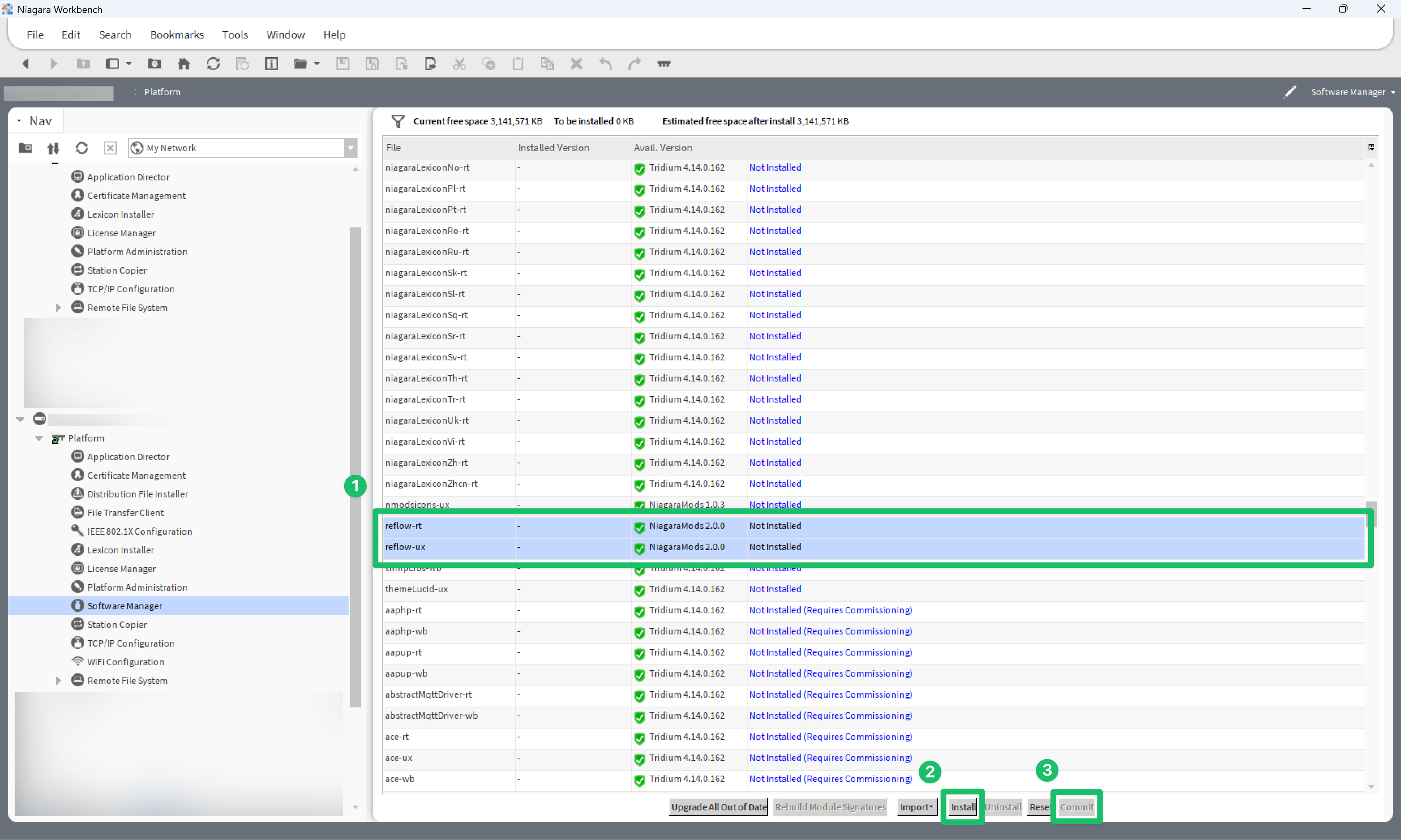
1. In Workbench, connect to the remote station's **Platform**.
2. Expand the platform tree and open the **Software Manager**.
3. Wait for the list of available modules to load.
### Installing the Modules
With the module list loaded, install both Reflow modules and commit the change.
1. Select **reflow-rt** and **reflow-ux**.
2. Click **Install**.
3. Click **Commit**.
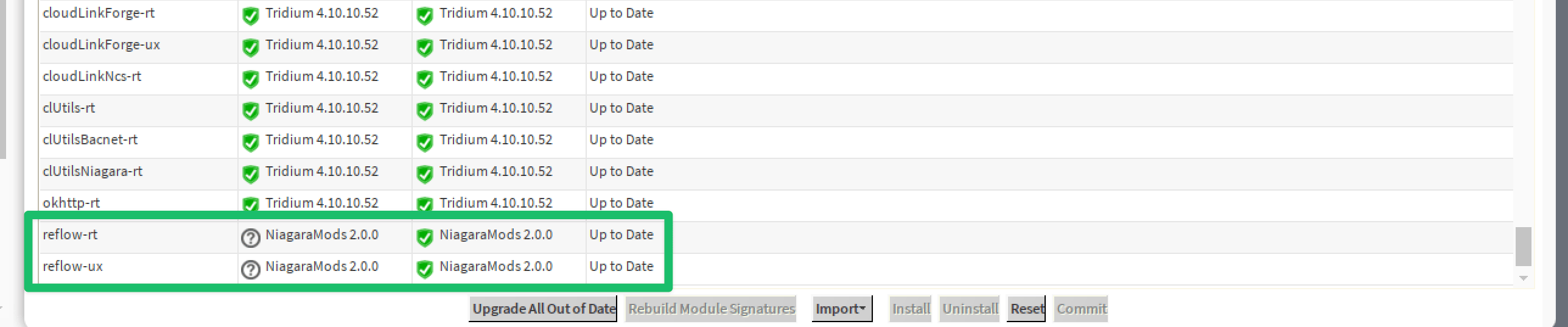
 4. Scroll to the bottom of the list to confirm both modules are up to date.
 5. Restart the remote station using the **Application Director**.
Once the modules are installed, add **ReflowService** to your station — see
[Quick Start](/getting-started/quick-start).
This documentation is built and hosted on [Mintlify](https://mintlify.com), a developer documentation platform.
5. Restart the remote station using the **Application Director**.
Once the modules are installed, add **ReflowService** to your station — see
[Quick Start](/getting-started/quick-start).
This documentation is built and hosted on [Mintlify](https://mintlify.com), a developer documentation platform.